
Inspect. Verify. Act.
NIRIKSHAN verifies officer field presence, secures geo-tagged inspection evidence, and provides supervisors with live oversight to resolve violations without delay.
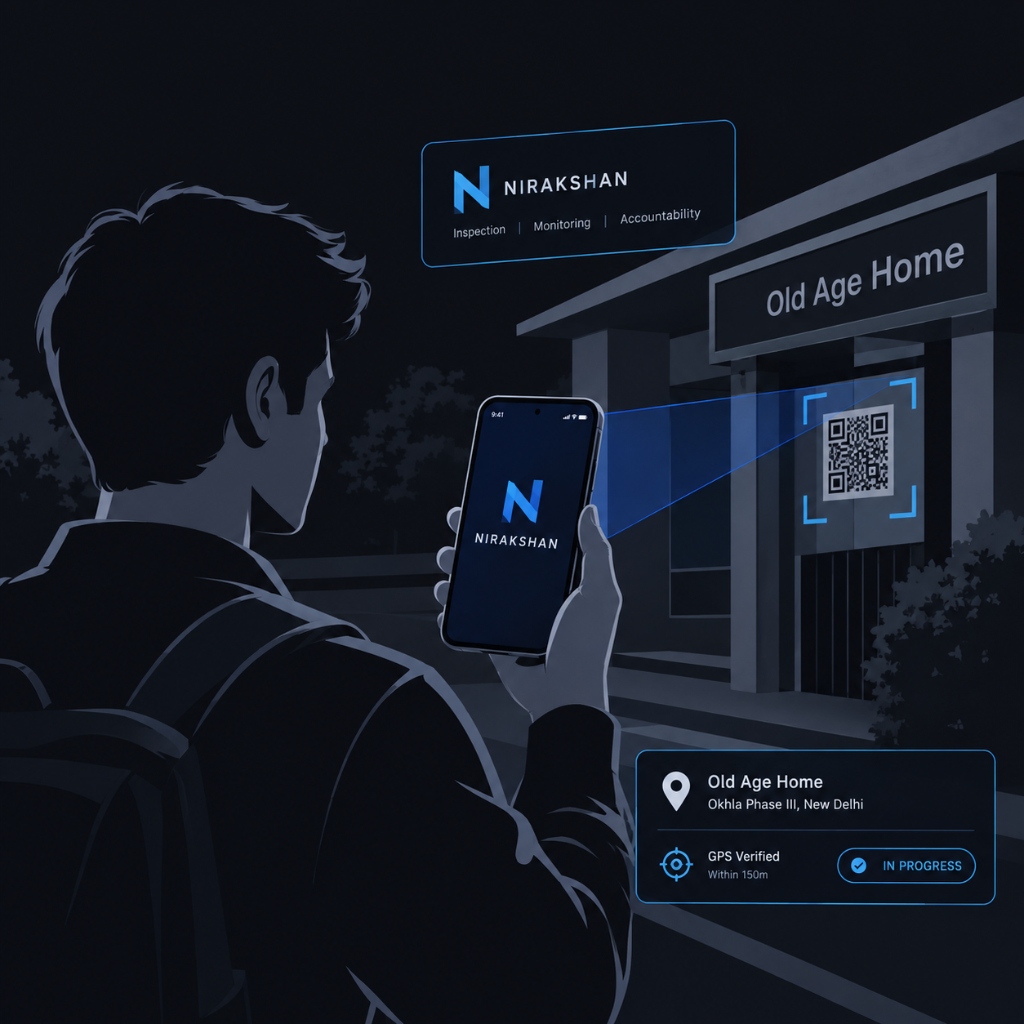
The Problem
Unverified presence
Inspections may be reported without reliable proof of physical presence.
Proxy verification
Beneficiary and facility records may be difficult to verify on site.
Advance notice
Planned inspections can allow conditions to be prepared before a visit.
Delayed reporting
Paper-based and offline reporting can delay supervisory action.
How NIRIKSHAN Works
Assign
Inspection duty is assigned to an officer.
Verify
QR and GPS verify field presence.
Inspect
Officer completes the digital checklist.
Report
Evidence is uploaded with location data.
Resolve
Supervisor reviews issues and records action.
Built for the Field. Engineered for Integrity.
A step-by-step view inside the live NIRIKSHAN Officer Mobile App — combining hardware-level security, geofenced presence verification, and zero-delay reporting.
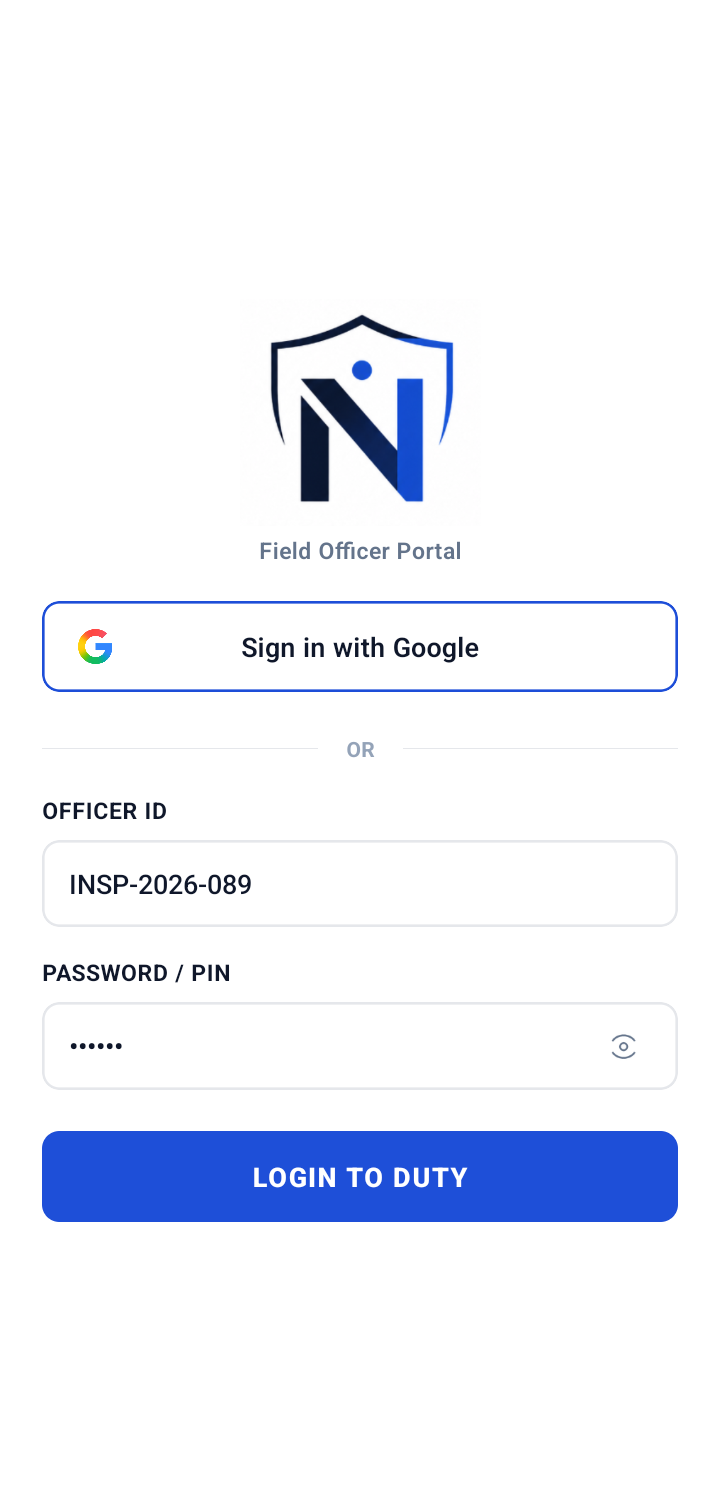
Zero-Trust Officer Login & Device Binding
Multi-tier authentication verifying field inspector credentials before granting access to sensitive statutory facility audits.
What's on Screen
- Dedicated Officer ID: Pre-registered inspector credentials (e.g. INSP-2026-089) with encrypted PIN authentication.
- Unified Google SSO: One-tap verified single sign-on for rapid, seamless field authentication.
- Instant Duty Access: Immediate session initialization with zero loading lag for rapid deployment.
Tech & Security Architecture
- Hardware UUID Fingerprinting: App binds to device hardware UUID to prevent proxy logins and unauthorized device swapping.
- Short-Lived JWT Tokens: Cryptographically signed JWT bearer tokens with secure token rotation on every duty cycle.
- Root & Emulator Detection: Real-time safety checks block rooted devices, mock-GPS applications, and runtime hooks.
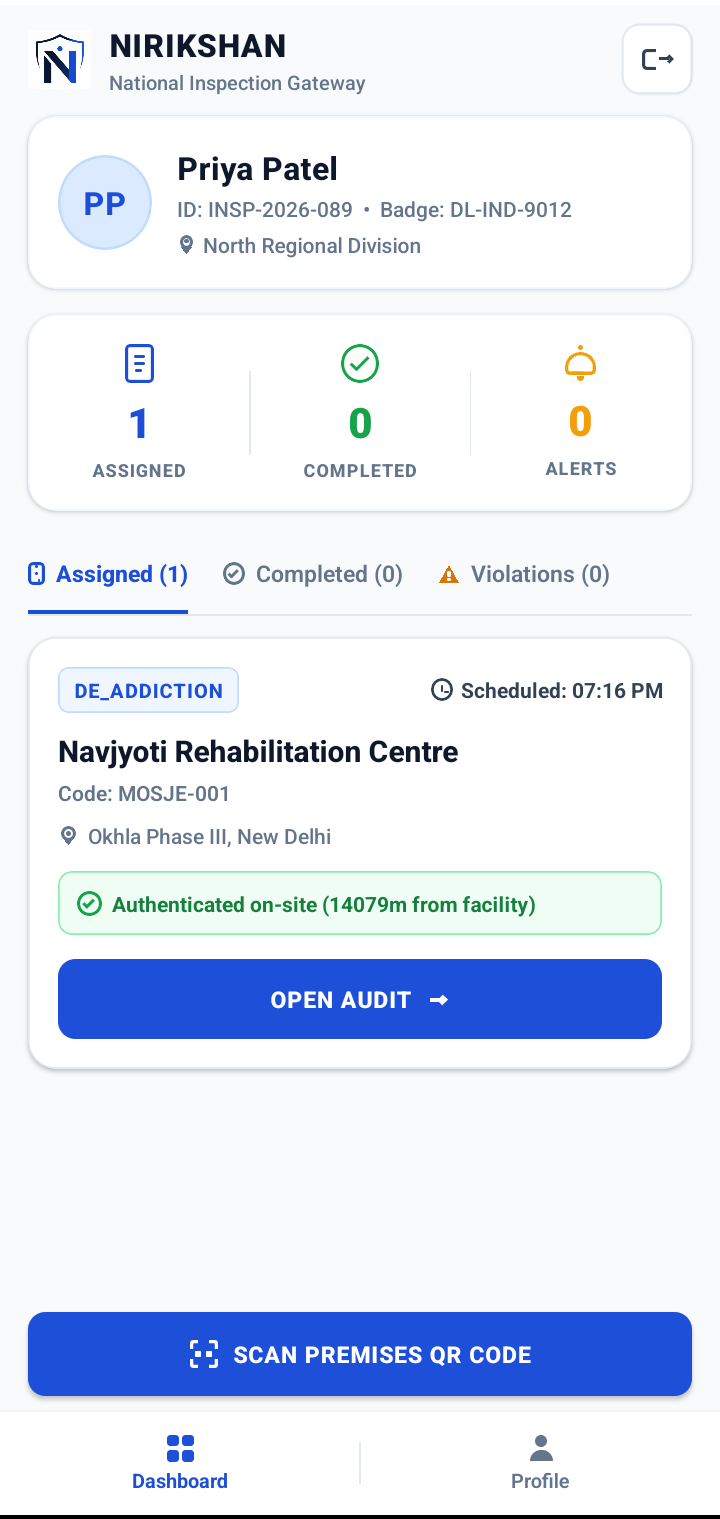
Live Task Allocation & Geo-Presence Gate
Dynamic duty dispatch center calculating real-time distance from target facilities and enforcing physical premises verification.
What's on Screen
- Officer Badge & Division: Official credential card showing regional badge (DL-IND-9012) and active deployment division.
- Live Task Counters: Immediate visibility into assigned duties, completed audits, and active violation alerts.
- Geo-Proximity Tagging: Continuous Euclidean calculation displaying exact distance from inspection target facility.
Tech & Security Architecture
- Dual-Factor Physical Presence: Combines 150m satellite GPS bounding boxes with physical facility QR code scans.
- WebSocket Dispatch Stream: Instant duty orders pushed directly from central Fastify gateway without manual refresh.
- Tamper-Proof Telemetry: Device battery, network quality, and GPS accuracy stream securely to supervisory HQ.
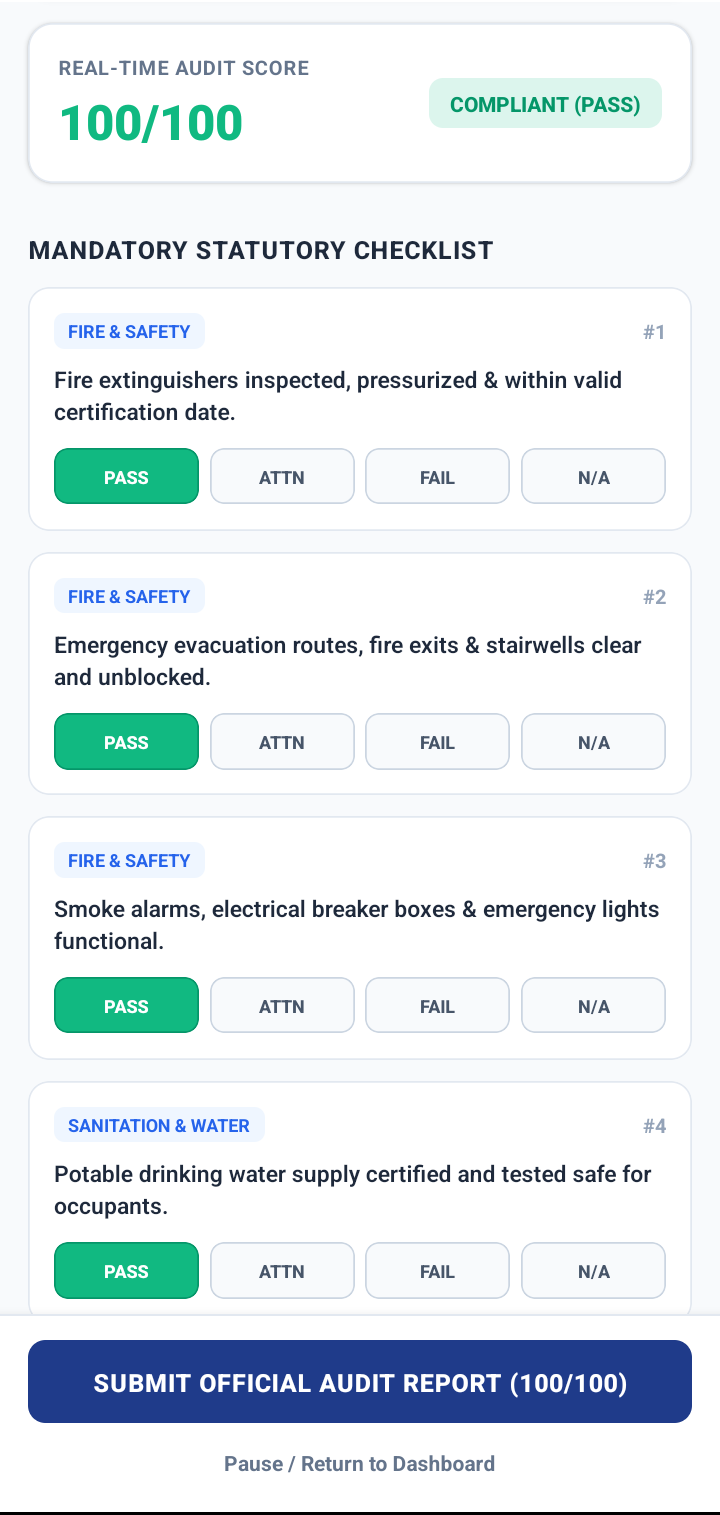
Standardized Checklist & Real-Time Scoring
Interactive digital inspection framework enforcing mandatory statutory guidelines with instant compliance calculation and offline resilience.
What's on Screen
- Dynamic 0–100 Score: Instant visual audit score calculation (100/100 COMPLIANT PASS) updating as items are answered.
- Standardized Requirements: Ministry-approved evaluation criteria covering Fire & Safety, Evacuation, and Sanitation.
- Multi-State Evaluation: Quick-select Pass, Attention, Fail, and N/A buttons with mandatory photo prompt on violations.
Tech & Security Architecture
- Weighted Scoring Engine: On-device deterministic algorithm calculates compliance metrics independently of network.
- Offline-First Data Cache: Full checklist cached in local storage; works seamlessly in basements and remote connectivity deadzones.
- Mandatory Media Geotags: Photos captured during attention/fail states are hard-stamped with EXIF GPS and server timestamp.
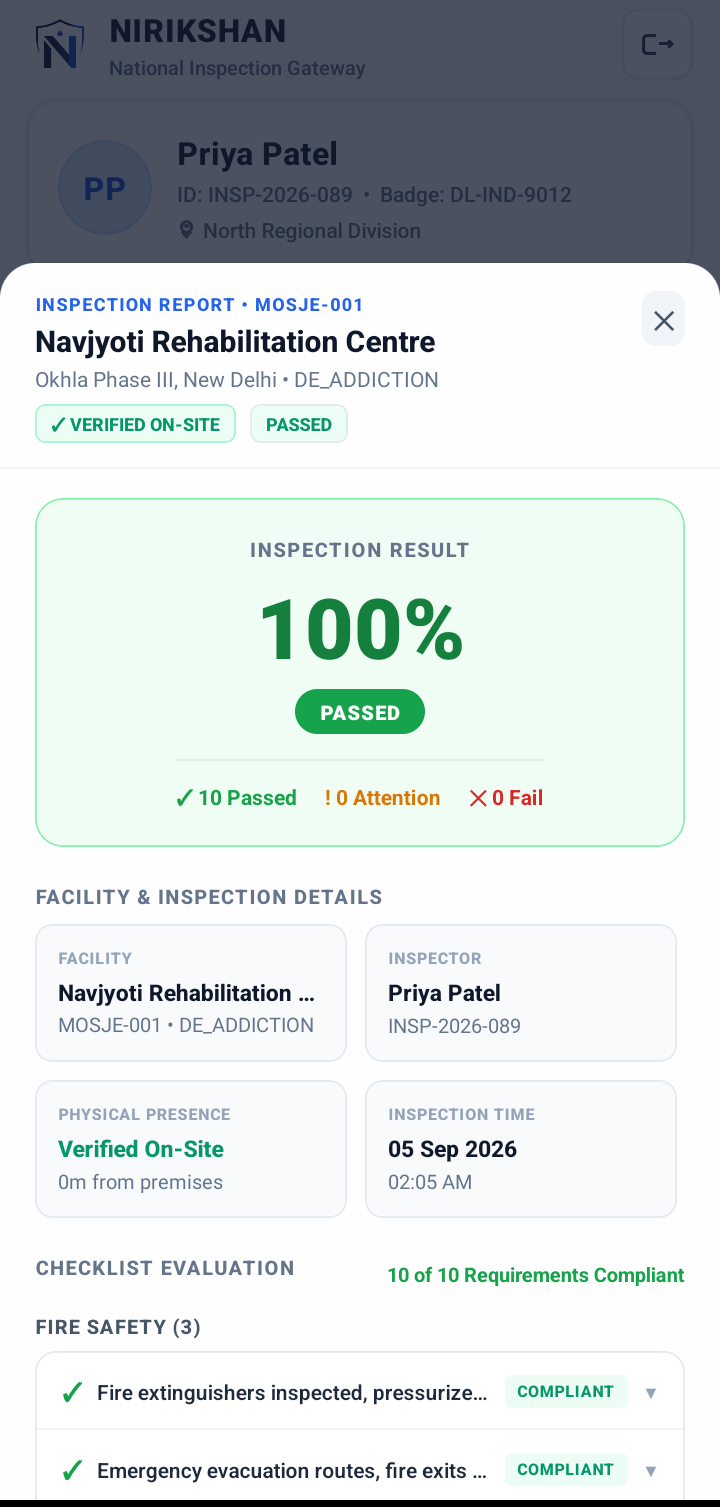
Geo-Verified Audit Report & Instant Oversight
Cryptographically-sealed inspection summary certifying physical presence and streaming findings immediately to the ministry portal.
What's on Screen
- 100% Passed Certification: Definitive evaluation outcome certifying full compliance across 10 of 10 statutory criteria.
- Physical Presence Lock: Certifies zero-meter on-site presence directly at the facility premises with timestamped proof.
- Audited Facility Breakdown: Detailed item-by-item log available for instant on-site review by facility supervisors.
Tech & Security Architecture
- Immutable Audit Payload: Inspection package sealed with SHA-256 hash and officer cryptographic signature.
- Zero-Latency HQ Notification: WebSockets alert central administrative supervisors the moment the official report is submitted.
- Automatic Cloud Archival: Evidence documents and inspection data automatically replicated to Cloudinary and MongoDB Atlas.
Technology
A connected architecture for field inspection, verification and real-time monitoring.
React Native / Expo
Camera · GPS · QR · Local Cache

Node.js / Fastify
REST API · Authentication · WebSockets

MongoDB Atlas
Cloudinary media storage
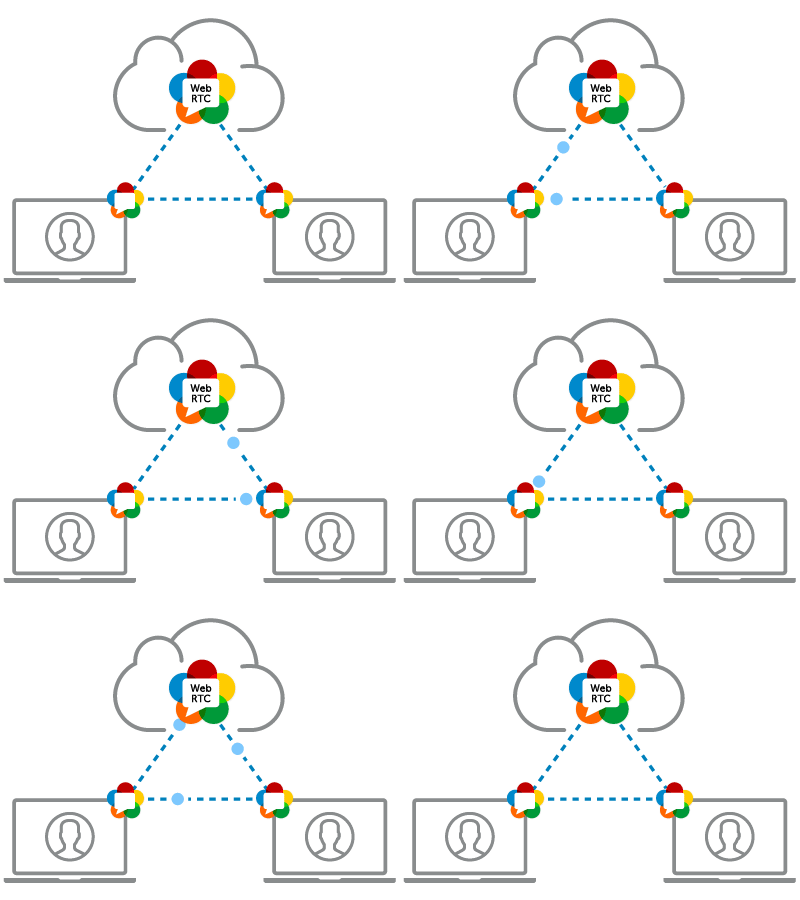
WebSockets · WebRTC
Real-time alerts · Voice / Video
Vercel
Global Edge Network · Automated CI/CD · SSL
Impact
Accountability
Better evidence for inspection records.
Faster Response
Supervisors can receive inspection issues without waiting for paper reports.
Traceability
Actions and inspection events remain available in an audit trail.
Frequently Asked Questions
The officer must scan the facility-specific QR code while physically inside the 150-meter GPS geofence. The inspection cannot start if location verification fails.
The platform is built with an offline-first workflow, allowing officers to capture inspection data locally and sync once network connectivity is restored.
Supervisors assign duties directly through the admin portal by selecting registered officers and facilities, enabling unannounced or scheduled visits.
Enrolled facility cameras connect through the NIRIKSHAN media gateway, providing authorized supervisors with live camera feeds directly on the admin dashboard.
Every operational event—from duty assignment to violation resolution—is logged with officer IDs, timestamps, and locations for administrative review.
Access is restricted to authorized administrators and zonal supervisors, who can assign duties, view live feeds, and review reported issues.
Try NIRIKSHAN
Officer App
Download the Android application for field inspections.
Admin Portal
Open the monitoring portal.
Scan to Install Officer App
Open camera on an Android phone to download directly.
